Blog Post
 AI will soon be the default front door for support—and the challenge isn’t ...
 Frank Vargas
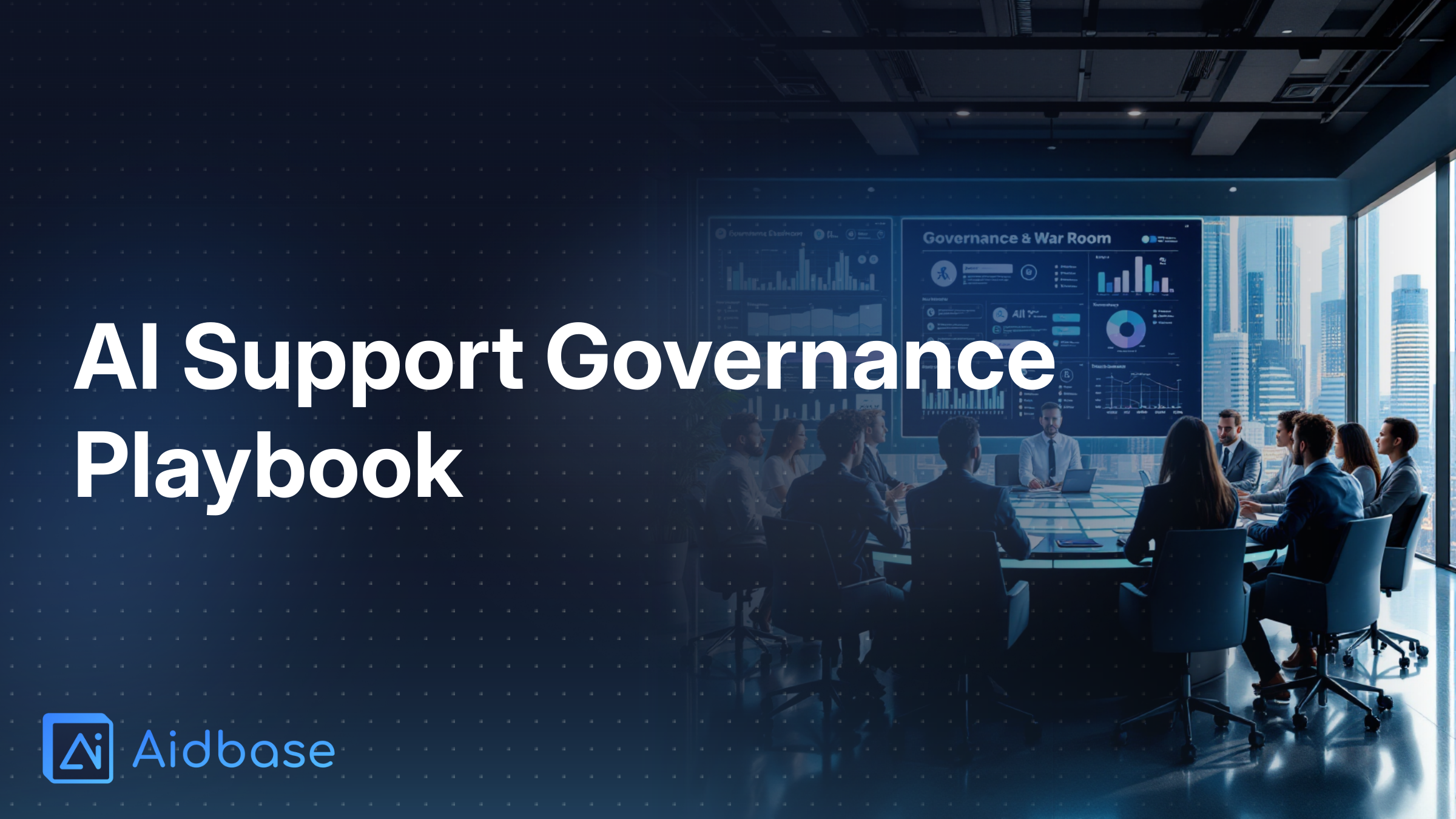
AI in customer support is no longer a scrappy experiment on the side of your help center. Over the next two years it will quietly become the front door for a large chunk of your customer base—and that’s exactly when things tend to break. This playbook walks through how to design governance, guardrails, and approval flows so you can scale AI support safely, stay compliant, and avoid becoming the next cautionary headline.
The hard part with AI in support isn’t getting a bot live; it’s staying safe and effective once the bot is embedded in your workflows, metrics, and customer expectations.
A few shifts make governance in 2025–2026 far more important than the initial launch:
Gartner predicts that by 2025, 80% of customer service and support organizations will be applying generative AI in some form to improve agent productivity and customer experience.
Source: Gartner press release, Aug 28, 2023 – “Gartner Says 80% of Customer Service and Support Organizations Will Be Applying Generative AI…”
https://www.gartner.com/en/newsroom/press-releases
In other words, your customers will increasingly assume that everyone they buy from has smart, instant answers on tap. That creates:
The tools are ready; the operating model often isn’t. IBM’s Global AI Adoption Index 2023 found that two of the top barriers to scaling AI are:
Source: IBM, “Global AI Adoption Index 2023”
https://www.ibm.com
That’s exactly what many support, CX ops, and compliance teams are now feeling: the pilot worked, but nobody is sure:
At a company level, many executives are already talking about “responsible AI.” But talk isn’t the same as a working governance program.
Research from BCG and MIT Sloan found that although a strong majority of organizations say responsible AI is important, only a minority have mature, fully implemented responsible‑AI programs with clear policies and enforcement.
Source: BCG & MIT Sloan Management Review, “The State of Responsible AI: 2023”
https://sloanreview.mit.edu
Support is often where this gap bites first: you have real customers, real money, and real regulators in play—but only high‑level AI principles on paper.
This is why the ongoing governance model—roles, policies, approvals, logs, and reviews—matters more than the technology milestone of “we launched a bot.”
If “the bot” belongs to everyone, it effectively belongs to no one. Clear ownership is the backbone of AI support governance.
A helpful reference is ISO/IEC 42001:2023, the first international standard for AI management systems. It explicitly requires organizations to define an AI policy, assign roles and responsibilities, and implement risk management and monitoring processes.
Source: ISO/IEC 42001:2023, “Artificial intelligence — Management system”
https://www.iso.org/standard/80947.html
Translating that into a support context, you want a concrete ownership model, not vague committees.
At minimum, define and document these roles:
Executive Sponsor
AI Support Product Owner
Technical Owner
Risk & Compliance Partner
Data & Knowledge Owner
Content & Brand Owner
Operations & QA Lead
Frontline Feedback Champions
For each type of change, define who is:
For example, for a new low‑risk FAQ intent:
For a high‑risk, policy‑changing automation (e.g., auto‑approving refunds over a threshold):
Write this down. Without explicit ownership, it’s almost impossible to enforce guardrails or investigate incidents.
Before you create artifacts—charters, checklists, sign‑off matrices—you need a small set of principles that guide every decision. These should align with widely accepted norms like the OECD AI Principles, which emphasize human‑centered values, transparency, robustness, and accountability.
Source: OECD, “Recommendation of the Council on Artificial Intelligence,” 2019
https://oecd.ai/en/ai-principles
Here are practical principles tailored for customer support.
These principles become the lens for every governance artifact you create next.
Once AI is live, most risk comes from changes: new intents, more powerful automations, new data sources, more aggressive prompts. Without structured approval flows, those changes can quietly introduce huge liabilities.
The EU AI Act, formally adopted in 2024, offers a useful mental model. It defines different risk tiers (from prohibited practices to “high‑risk” systems like credit scoring and more limited‑risk chatbots) and imposes stricter requirements—documentation, logging, human oversight—as the risk increases.
Overview: European Commission, “European approach to artificial intelligence (AI Act)”
https://digital-strategy.ec.europa.eu/en/policies/european-approach-artificial-intelligence
You can mimic that tiering internally to structure approvals.
For each proposed change, answer:
Then assign a tier like:
Tier 1 – Low risk (informational)
Tier 2 – Medium risk (assisted decisions)
Tier 3 – High risk (automated decisions / regulated impact)
For example:
Tier 1 – Low risk
Tier 2 – Medium risk
Tier 3 – High risk
For any new intent or automation, require a short, structured intake (in your ticketing system, project tool, or AI platform):
Centralizing this into a simple form is how you make governance practical instead of ad hoc negotiation.
Most support leaders’ biggest fears about AI are not about uptime—they’re about what the bot says and how it behaves in gray areas.
Surveys like Intercom’s “State of AI in Customer Service 2023” report that leaders’ top AI concerns include inaccurate or hallucinated responses, brand‑voice control, and data privacy.
Source: Intercom, “The State of AI in Customer Service 2023”
https://www.intercom.com
Guardrails transform those fears into concrete controls.
Create an AI‑specific style guide that covers:
Voice & tone
Must‑use behaviors
Never‑use behaviors
Implement these directly in:
Document three categories of topics:
Allowed topics
Restricted topics (human review recommended)
Forbidden topics
The NEDA “Tessa” chatbot incident shows exactly why this matters. In 2023, the National Eating Disorders Association replaced its helpline with an AI bot that reportedly gave harmful dieting and weight‑loss advice to people seeking help with eating disorders, and had to suspend the bot after public backlash.
Source: NPR, “Mental health nonprofit pulls the plug on AI chatbot after it gave harmful advice,” May 2023
https://www.npr.org
Your bot might not be in healthcare, but the pattern is the same: without strict topic boundaries and escalation rules, AI will wander into areas it should never touch.
Guardrails are incomplete without escape hatches.
Define clear escalation triggers, such as:
Regulators are already flagging failures here. The U.S. Consumer Financial Protection Bureau’s 2023 spotlight on financial‑services chatbots highlighted complaints about inaccurate information and inability to reach a human, and stressed that institutions remain responsible for their chatbots’ representations.
Source: CFPB, “Chatbots in consumer finance,” June 2023
https://www.consumerfinance.gov
Your governance model should require:
AI support systems process highly sensitive data: account details, payment info, identity documents, sometimes even health or financial hardship stories. Mishandling this is both a trust and regulatory disaster.
If you operate in or serve the EU, your AI support must comply with the GDPR. Even outside the EU, GDPR is a strong benchmark. Core principles include: lawfulness, fairness, transparency, data minimization, purpose limitation, and security of personal data.
Source: GDPR overview
https://gdpr.eu
For AI in support, that means:
Map and document:
Controls to implement:
The Cisco 2023 Consumer Privacy Survey found that a majority of consumers are concerned about how organizations use their personal data in AI systems, and about half said they would switch providers if they don’t trust a company’s AI and data practices.
Source: Cisco, “2023 Consumer Privacy Survey”
https://www.cisco.com/c/en/us/about/trust-center/privacy-reports.html
Trust is not a soft metric; it directly affects churn.
Regulators increasingly treat AI like any other marketing or operational claim.
The U.S. Federal Trade Commission’s 2023 guidance (“The Luring Test: AI and the FTC Act”) reminds companies they’re responsible for how AI tools behave, and that unfair or deceptive practices via chatbots or automated systems are still illegal.
Source: FTC Business Blog, 2023
https://www.ftc.gov/business-guidance/blog
Governance implications:
The Mata v. Avianca case is a powerful warning. In 2023, a U.S. federal judge sanctioned attorneys after they submitted a brief containing fabricated case citations generated by ChatGPT.
Source: Coverage of Mata v. Avianca, Inc., 22‑cv‑1461 (S.D.N.Y. 2023) – e.g., The New York Times
https://www.nytimes.com
Your governance playbook should include explicit rules like:
Even the best‑designed AI support system will make mistakes. The difference between a minor issue and a public fiasco is how quickly you spot, respond, and learn from them.
The NIST AI Risk Management Framework (AI RMF 1.0) emphasizes continuous monitoring of AI system performance and explicit incident response processes for AI failures or harmful outcomes as core parts of responsible AI.
Source: NIST, “AI Risk Management Framework 1.0,” Jan 2023
https://www.nist.gov/itl/ai-risk-management-framework
Define a monitoring plan covering:
Performance metrics
Risk & quality metrics
Technical metrics
Operationalize monitoring:
You need an AI incident runbook just like you have for outages or security events.
Define:
What counts as an incident
Severity levels
Response steps
The Air Canada chatbot case (Moffatt v. Air Canada, 2024) shows why this matters. A court found the airline responsible for incorrect refund information its website chatbot gave about bereavement fares, rejecting the argument that the chatbot was a separate entity. The tribunal explicitly stated the airline was responsible for information on its own website and ordered compensation.
Source: Moffatt v. Air Canada, 2024 BCCRT 149 (British Columbia Civil Resolution Tribunal)
https://www.bccrt.ca (case search)
Well‑defined monitoring and incident response are how you avoid—or at least minimize—this kind of liability.
Uncontrolled prompt tweaks, knowledge edits, or integration changes are a hidden risk. Require that all non‑trivial changes go through:
Many modern AI support platforms, such as Aidbase, support versioning, audit logs, and environment separation out of the box. Use those capabilities as part of your formal change‑management story—not as an optional convenience.
Your AI Support Governance Charter is the single source of truth that explains how you run AI in customer service. It doesn’t need to be 50 pages; it does need to be clear, owned, and regularly reviewed.
Here’s a structure you can adapt.
Clarify:
Example language:
“ This charter describes how [Company] designs, deploys, and governs AI‑powered customer‑support tools across all digital channels (web chat, in‑app chat, email assist). It applies to generative AI, retrieval‑based bots, and AI‑assisted agent tools. ”
State what “good” looks like:
Tie each objective to 2–3 measurable KPIs.
Explain your boundaries:
List excluded topics and workflows explicitly.
Summarize the ownership model:
Document your internal risk tiers and:
Set high‑level guardrails:
Reference your more detailed style guide and topic‑allowlist/denylist here.
Summarize:
Point to your privacy policy and data‑protection impact assessments for details.
State:
This charter should be:
You don’t need to reinvent governance collateral from scratch. Here are simple templates you can adapt.
Use this as a pre‑launch and periodic audit checklist.
Strategy & scope
Ownership & processes
Guardrails
Data & compliance
Monitoring & incidents
For each change:
Keep this log in a shared, queryable format (your AI platform, a database, or a structured document in your project tool).
Define, for each change category:
New low‑risk FAQ intent
Change to existing medium‑risk workflow
New high‑risk automation (e.g., policy‑driven refunds, eligibility decisions)
Model/provider change (e.g., switching LLM versions)
Emergency rollback
You can turn this into a simple reference page for everyone working on AI support.
Governance often fails because it’s experienced as bureaucracy. The goal is to enable faster, safer change—not to create a paperwork maze.
The good news: when implemented well, AI can dramatically accelerate support operations. A large‑scale study of 5,179 support agents using a generative‑AI‑based assistant found a 14% average increase in issues resolved per hour, with even larger gains (30%+) for less experienced agents, plus better customer sentiment and lower attrition.
Source: Erik Brynjolfsson, Danielle Li, Lindsey Raymond, “Generative AI at Work,” NBER Working Paper 31161, 2023
https://www.nber.org/papers/w31161
Your governance should help you capture that upside, not block it.
Instead of trying to govern everything at once:
This focuses limited Legal/Compliance bandwidth where it matters most.
If governance is native to existing workflows, adoption goes up and friction goes down.
Define a category like “Tier 1 – Fast Track” for changes that:
For these, allow:
This keeps your team nimble while ensuring more consequential changes still get proper scrutiny.
Run short, practical sessions for:
Give people clear escalation paths and reassure them that raising concerns about the AI is encouraged, not punished.
Your governance model in 2024 won’t be sufficient in 2026. Models will get smarter, use cases more complex, and regulators more specific.
Industry surveys like Zendesk’s “CX Trends 2024” report that a large and growing share of customer service organizations already use AI/automation and plan to increase AI investments over the next 12–24 months, with usage roughly doubling in recent years.
Source: Zendesk, “CX Trends 2024”
https://www.zendesk.com
As you scale, evolve governance along three dimensions.
You might start with:
You’ll likely end up with:
Governance actions:
As AI‑focused laws like the EU AI Act phase in and sectoral regulators issue more guidance:
Schedule at least an annual legal and regulatory review of your AI support operations.
As volumes grow, you’ll:
Governance must then:
Treat your governance framework like software: versioned, improved, and responsive to change, not frozen.
To make this actionable, here’s how to turn the concepts above into a concrete 90‑day plan.
A 2023 McKinsey analysis estimated that generative AI could increase productivity in customer operations by 30–45% of current function costs, largely by assisting with queries, drafting responses, and recommending actions.
Source: McKinsey Global Institute, “The economic potential of generative AI: The next productivity frontier,” June 2023
https://www.mckinsey.com/capabilities/quantumblack/our-insights
Capturing even a slice of that safely is worth a focused quarter.
Inventory
Risk assessment
Quick guardrails
Draft and approve your AI Support Governance Charter
Define processes and artifacts
Implement in tools
Pilot with 1–2 high‑impact use cases
Train teams
Establish ongoing cadence
By the end of 90 days, you should have:
Launching an AI support bot is the easy part. The real test is whether, two years later, it’s still accurate, compliant, on‑brand, and trusted by customers—and whether you can prove that to regulators, executives, and your own team.
Governance is how you get there: clear ownership, risk‑tiered approvals, tight guardrails on tone and topics, robust data and privacy controls, continuous monitoring, and a living change log. With those in place, AI stops being a rogue experiment and becomes a reliable, scalable part of your customer‑experience stack.
Start small, focus on your highest‑risk use cases, and build the governance muscle now. The organizations that do this in 2024–2026 won’t just avoid disasters—they’ll be the ones capturing the real productivity and customer‑experience gains AI can deliver.